









So, you want to learn how to play a synthesizer? You're in the right place. Welcome to the ultimate synthesizer lessons for beginners. Stepping into the world of electronic music can feel overwhelming—especially when faced with complex software, endless menus, and screens. But here is a secret: the fastest and most fun way to learn is by getting your hands on physical hardware. In this tutorial, we will break down the basics of sound design and show you how to build your first track using intuitive, beginner-friendly gear. Let’s dive in!
Table of Contents
1. The Basics: What is a Synthesizer?
Unlike an acoustic guitar or a piano, a synthesizer generates sound electronically. It allows you to shape electricity into any sound imaginable—from warm, vintage strings to aggressive, futuristic basslines. For beginners, the best starting point is Subtractive Synthesis. Think of it like sculpting a block of wood: you start with a raw, buzzy sound block, and then you "carve" away the frequencies you don't want using filters.
- VCO (Voltage Controlled Oscillator): The voice box. It generates the raw sound waves (Sawtooth, Square, Pulse).
- VCF (Voltage Controlled Filter): The sculptor. It cuts out high or low frequencies to make the sound darker or brighter.
- VCA (Voltage Controlled Amplifier) & ADSR: The shaper. It controls how the sound fades in and fades out over time (Attack, Decay, Sustain, Release).
2. Lesson 1: Sculpting Your First Sound (The Lead)
Learning theory on a computer screen is boring. To truly understand how an oscillator and a filter work, you need physical knobs. This is where a dedicated analog synthesizer like the Donner ESSENTIAL L1 becomes the perfect teacher.
Hands-On Practice with the Donner ESSENTIAL L1
Powered by a classic 3340 VCO chip, the Donner ESSENTIAL L1 Synthesizer is a modern recreation of iconic monophonic tones. Here is your first lesson:
- Select a Waveform: Turn the VCO knob on the L1 to a "Sawtooth" wave. Hold a key. Hear that bright, buzzy tone?
- Tweak the Filter: Grab the VCF (Cutoff) knob and slowly turn it down. You will instantly hear the sound become warm and muffled. You are literally "subtracting" frequencies!
- Shape the Envelope: Adjust the "Release" slider in the ADSR section. Notice how the sound lingers after you let go of the key?
With the L1's intuitive layout, what normally takes hours to learn on software clicks in seconds. Plus, it features a 64-step sequencer to automatically play melodies while you tweak the knobs!

3. Lesson 2: Building Basslines & Rhythms
A melody is great, but a track needs a groove. Electronic music relies heavily on Step Sequencers—tools that allow you to program notes in a loop (usually 16 or 32 steps) rather than playing them live like a pianist.
Laying the Foundation with the Donner Essential B1
If you want to learn how to make classic "Acid" basslines or punchy techno grooves, the Donner Essential B1 Analog Bass Synthesizer is built exactly for this.
- Intuitive Sequencing: Instead of complicated menus, the B1 features modern silicon haptic pads with dynamic color-changing backlights. You simply tap the pads to tell the machine when to play a note. No headache, just pure flow.
- Built-in Effects: The B1 includes analog saturation and delay effects at the end of its signal path. Turn the delay knob during a live jam, and watch your simple bassline turn into an echoing, professional-sounding groove.

4. Lesson 3: Sampling & Capturing Inspiration Anywhere
Once you understand analog synthesis (like the L1 and B1), you might want to add drums, chords, or even a recording of your own voice. This is where Samplers and MIDI Controllers come in.
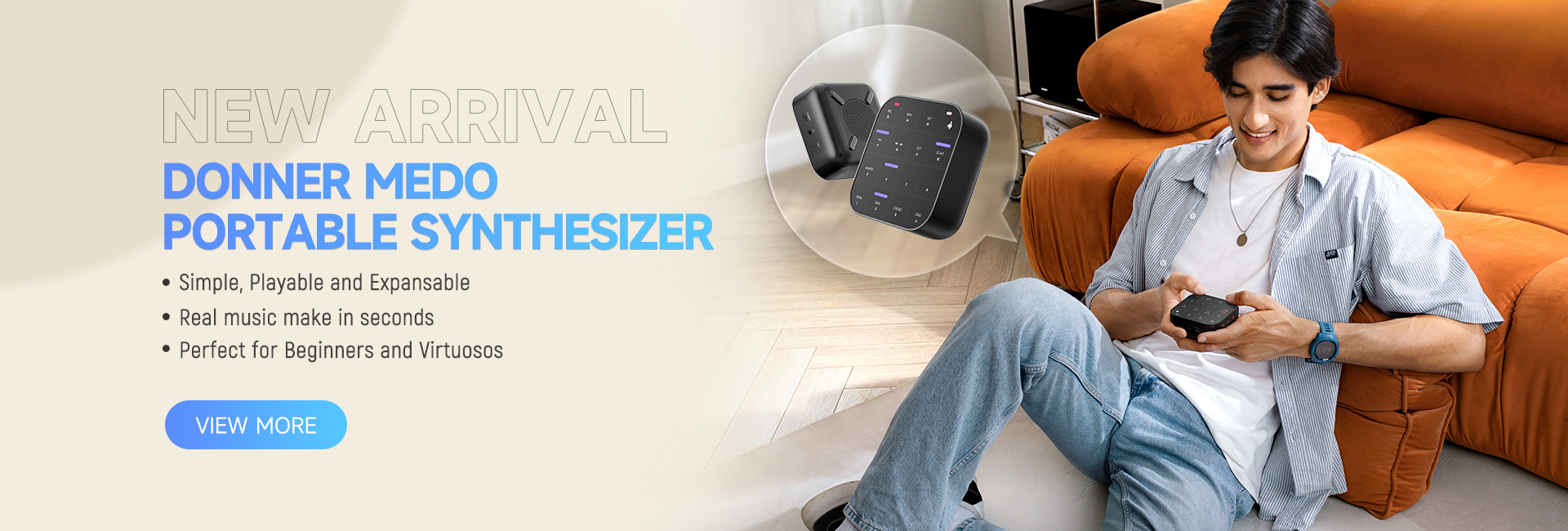
Meet the Ultimate Portable Tool: Donner MEDO
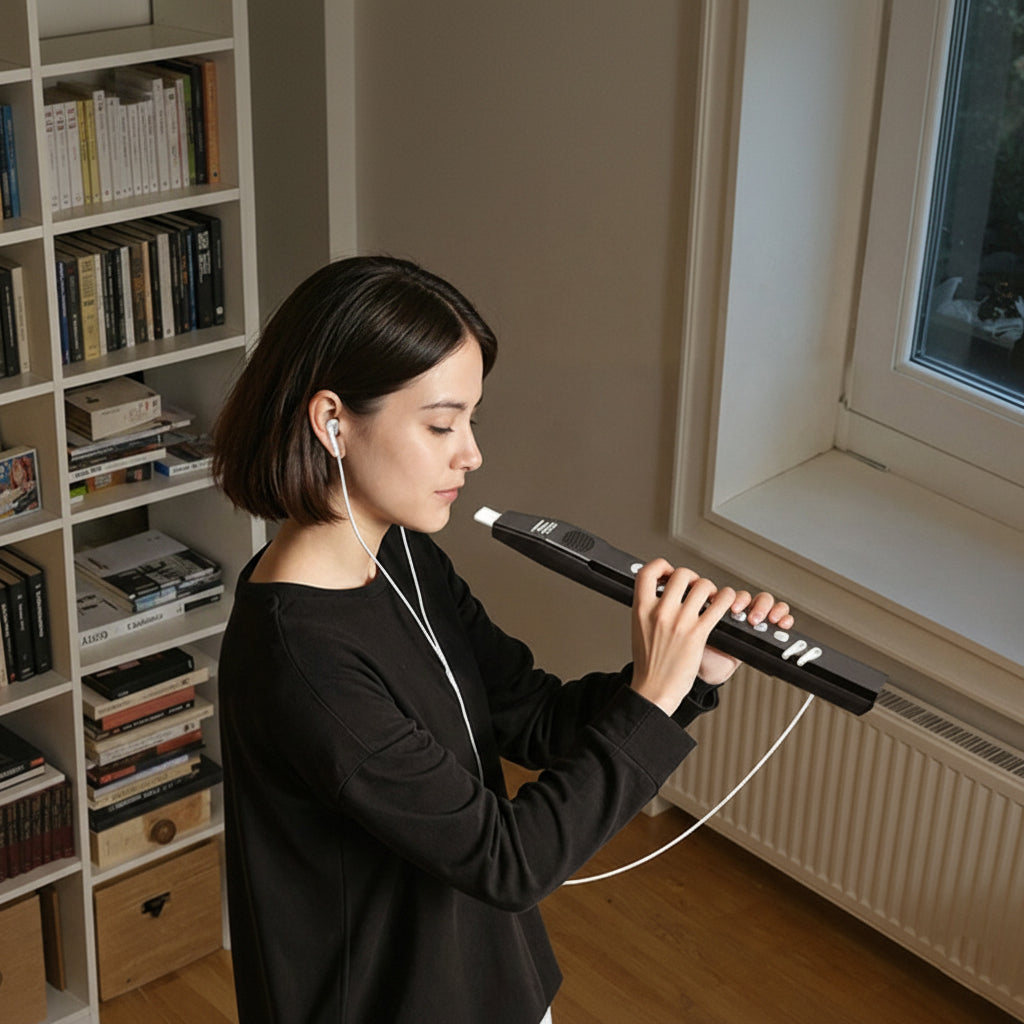
The Donner MEDO MIDI Controller is a pocket-sized powerhouse. Weighing only 170g, it lets you create music whenever inspiration strikes.
- Simplified Sampling: You can capture unique sounds around you in just 5 seconds and instantly turn them into playable music using the built-in looper.
- Play with Gestures: Forget traditional keys. The MEDO allows you to manipulate sound through 8 gesture controls—Slide, Slap, Tilt, Shake, and more! It makes learning rhythm feel like playing a game.
- Complete Independence: With a 2000mAh battery (3 hours of life) and a headphone jack, your synthesizer lesson can take place in the park, on the train, or on your couch.

Conclusion: Start Your DAWless Journey
Taking synthesizer lessons doesn't mean you have to stare at a computer screen for months. By combining the L1 (for leads), the B1 (for bass), and the MEDO (for drums and samples), you can build a complete, tactile electronic band. This hardware-first approach builds muscle memory, trains your ears, and most importantly, keeps music production fun!
5. Frequently Asked Questions (FAQ)
- Do I need to know how to play the piano to use a synthesizer?
- Not at all! While keyboard skills help, electronic music is heavily based on sequencers (like those found in the Donner B1 and L1). You can program notes step-by-step and tweak the knobs to shape the sound, making it perfect for non-pianists.
- What is the best synthesizer for a beginner?
- For learning the basics of sound design, a subtractive analog synthesizer with a "one-knob-per-function" layout is best. The Donner ESSENTIAL L1 is highly recommended because it provides immediate visual and audio feedback without hiding features in complex menus.
- What does "DAWless" mean?
- DAWless means making electronic music using hardware devices (like analog synths, drum machines, and samplers) without relying on a computer or a Digital Audio Workstation (DAW) like Ableton or Logic.


Leave a comment
All comments are moderated before being published.
This site is protected by hCaptcha and the hCaptcha Privacy Policy and Terms of Service apply.