









Budget piano keyboards range from portable 61-key instruments for melodies and accompaniment to 88-key digital pianos for a dedicated practice space. The useful starting point is what you want to play: the required note range and key feel help you decide which features deserve your budget.
Alongside the instrument, allow for the support, seating, pedal and listening equipment you will use. A compact keyboard that moves between rooms and a cabinet piano that stays assembled solve different problems, so compare the complete setup rather than the instrument alone.
Best 8 Budget Piano Keyboards
- Donner DDP-75 Digital Piano
- Yamaha PSR-E283 Keyboard
- Donner DDP-80 Digital Piano
- Casio CT-S200 Keyboard
- Yamaha PSR-E383 Keyboard
- Donner DEP-1S Digital Piano
- Alesis Melody 61 MK4 Keyboard
- Casio CT-X700 Keyboard
Best Budget Piano Keyboards Comparison Chart
| Model | Keys | Key weighting / action | Touch response | Price |
|---|---|---|---|---|
| Donner DDP-75 Digital Piano | 88 | Fully weighted hammer action | Yes | AUD 759.99 |
| Yamaha PSR-E283 Keyboard | 61 | — | No | AUD 279.00 |
| Donner DDP-80 Digital Piano | 88 | Graded hammer action | — | AUD 759.98 |
| Casio CT-S200 Keyboard | 61 | — | — | AUD 199.99 |
| Yamaha PSR-E383 Keyboard | 61 | — | Yes | AUD 349.00 |
| Donner DEP-1S Digital Piano | 88 | Semi-weighted | Yes | AUD 337.99 |
| Alesis Melody 61 MK4 Keyboard | 61 | — | — | — |
| Casio CT-X700 Keyboard | 61 | — | Yes | — |
Donner DDP-75 Digital Piano Home Practice With Recording

Pros
- Full-range hammer action
- Metronome and recording
Cons
- Stationary cabinet setup
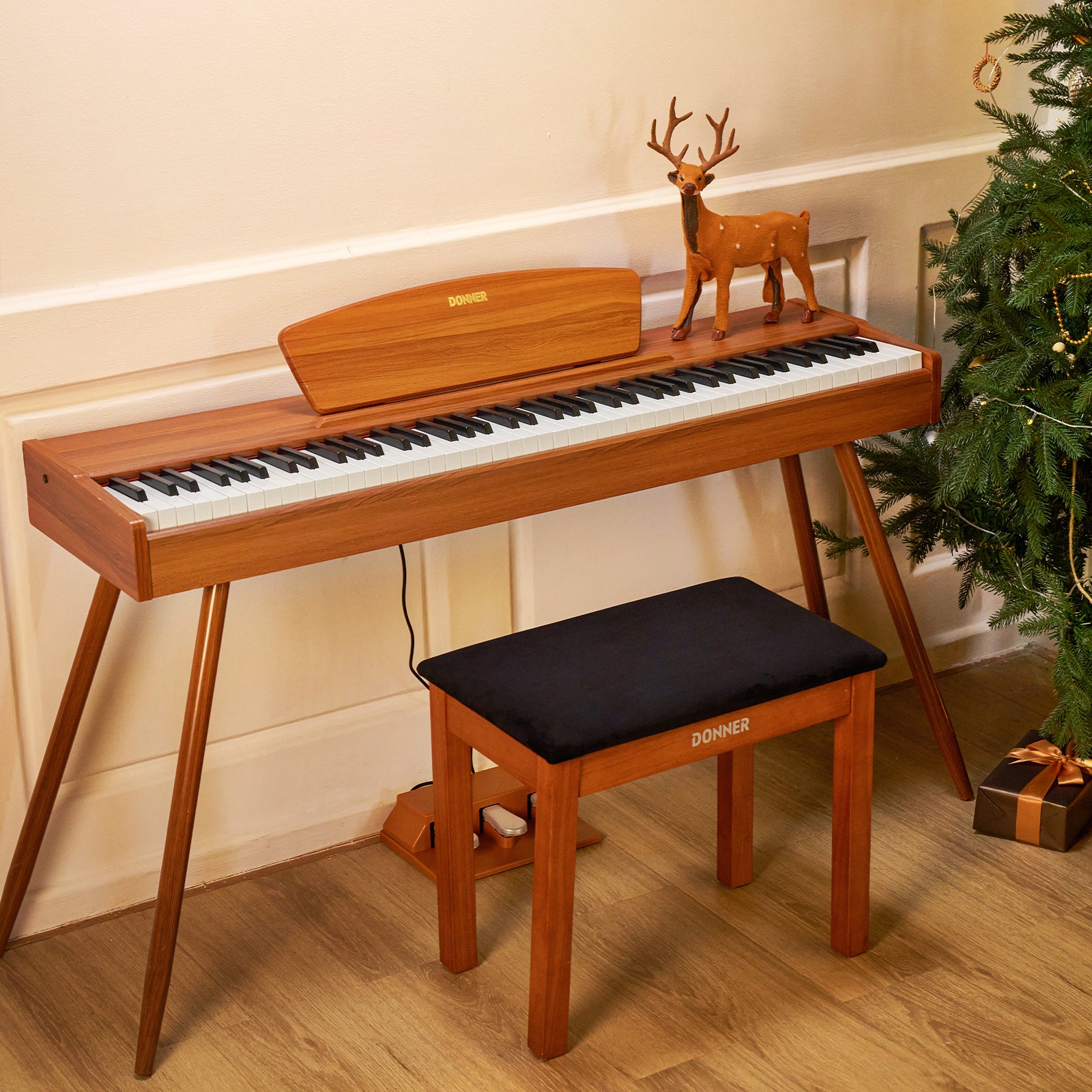
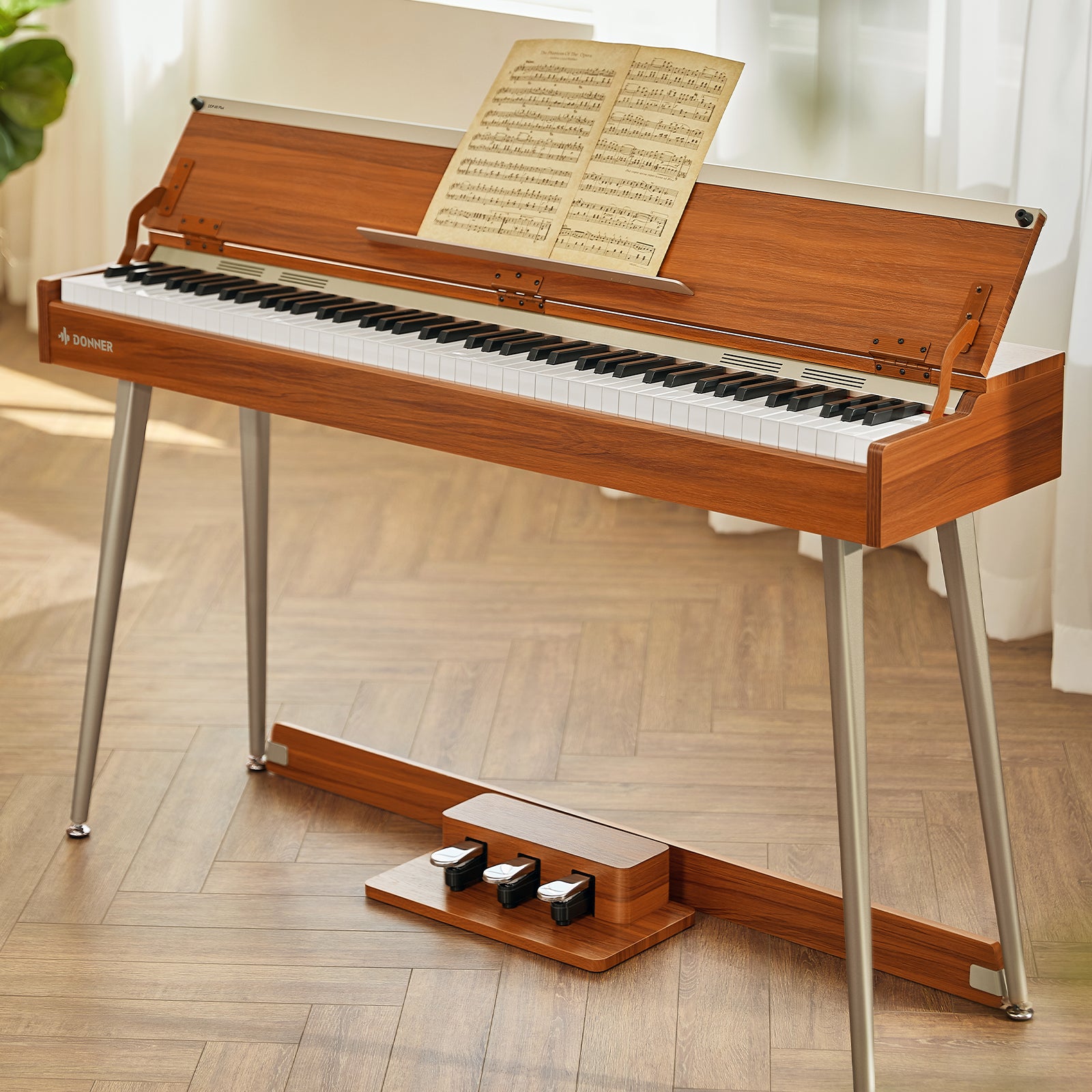
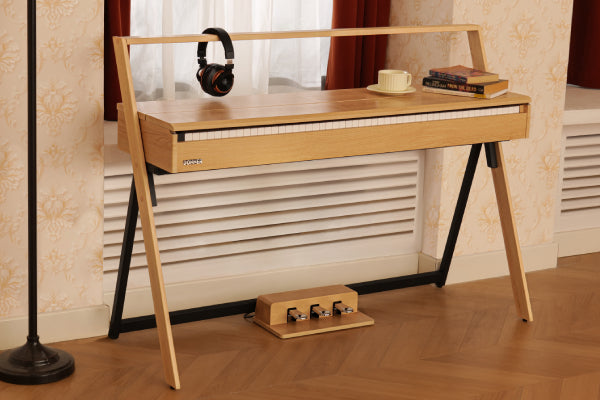
For a dedicated practice position at home, Donner DDP-75 Digital Piano combines 88 fully weighted hammer-action keys with an upright cabinet and flip-top cover. The full range gives both hands room for piano music, while the action is a different proposition from a light exploration keyboard. Its touch settings include Off, Soft, Standard and Strong; Off removes velocity response.
A metronome helps establish a pulse, and internal recording/playback lets you listen back to a passage rather than judge it only while playing. Headphone use mutes the built-in speakers. The three-pedal unit is part of the illustrated assembly; the cabinet is best planned as a home installation rather than an instrument to pack away after every session.
Yamaha PSR-E283 Keyboard Guided beginner practice
Pros
- Built-in lessons and quiz activities
- 150 accompaniment styles
Cons
- No touch-sensitive response
- 32-note maximum polyphony
Yamaha PSR-E283 Keyboard is oriented toward guided first sessions on a portable 61-key keyboard. Its lesson and quiz functions work alongside 122 preset songs, giving a beginner something to follow beyond simply choosing a sound. The 150 accompaniment styles also make playing with backing part of the experience.
The sound list separates 392 instrument voices from 18 drum and sound-effect kits. That variety serves exploration, while 32-note maximum polyphony limits how many notes can sound together. Its narrower range is the trade-off to weigh against a full 88-key piano when the next pieces need more bass or treble space.
It is not touch-sensitive: striking a key harder does not make the triggered note louder. That matters if your lessons involve controlling dynamics with the fingers, even when the notes fit its range.
Donner DDP-80 Digital Piano Dedicated Weighted Home Practice

Pros
- Graded hammer action
- Three-pedal control
Cons
- Assembly and a fixed home position
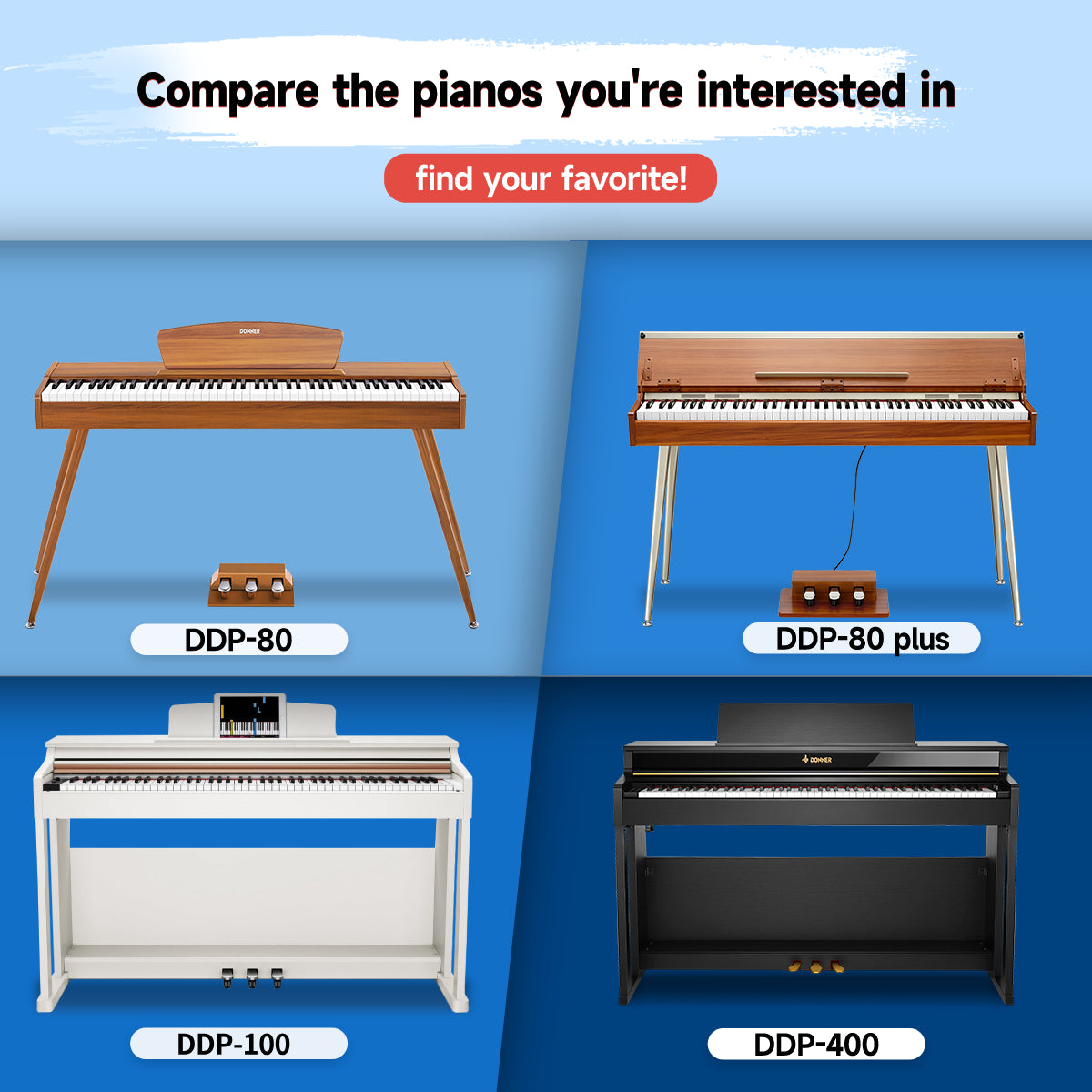
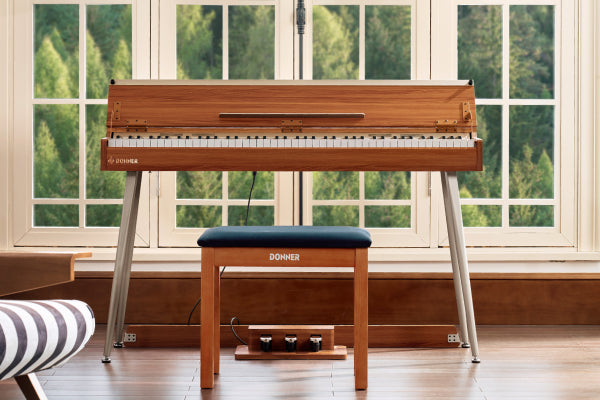
Donner DDP-80 Digital Piano suits someone who wants a home piano rather than a collection of accompaniment features. Its 88 graded weighted hammer-action keys provide the full piano range, and six tones give a small choice of sounds without making a large arranger library the focus.
The three-pedal unit provides damper, sostenuto and soft controls, while the headphone connection supports private practice. Its 128-note polyphony describes how many notes can sound together, including overlap during playing. Allow for assembling the wooden-style body and legs, a stable location and suitable seating; a bench is not assumed included.
Casio CT-S200 Keyboard Portable family practice
Pros
- Carry handle and battery option
- Full-size keys in a portable body
Cons
- 61-key range; connection accessories may be separate
Moving the keyboard between practice spots is central to Casio CT-S200 Keyboard. At 3.3 kg without batteries, with a carry handle and battery operation, it is an alternative to a permanent cabinet setup. Its 61 full-size piano-style keys preserve familiar key width within that smaller note range.
The 400 tones, 77 rhythms and selectable lesson parts in 60 songs provide several ways to play along. Micro-B USB supports MIDI with compatible devices, while AUDIO IN and PHONES/OUTPUT handle external audio and listening. Budget for the appropriate cable or adapter when needed; retailer bundles differ, so a portable body does not establish a complete stand-and-seat package.
Yamaha PSR-E383 Keyboard Touch-response growth
Pros
- Adjustable touch response
- USB Audio/MIDI
Cons
- 61-key range; adapter scope varies
Yamaha PSR-E383 Keyboard is worth comparing when expressive touch response matters alongside automatic accompaniment. Its 61 keys have Soft, Medium, Hard and Off response settings, letting you adjust the dynamic response without treating that control as proof of hammer action.
The 650 voices, 260 styles and 125 songs give this portable format plenty of play-along choices, with 48-note maximum polyphony. USB Audio/MIDI supports compatible computer music setups. Power can come from six AA batteries or a PA-130 or equivalent adapter; the adapter’s inclusion depends on the region, so allow for the actual package.
Donner DEP-1S Digital Piano Semi-Weighted Beginner Setup

Pros
- Full 88-key range
- Adjustable touch response
Cons
- Not fully weighted hammer action
If full range matters more than hammer resistance, Donner DEP-1S Digital Piano offers 88 semi-weighted, velocity-sensitive keys with five response levels. The notes cover the piano range, while the lighter action distinguishes it from a fully weighted hammer-action instrument. That distinction matters when a course specifies a particular feel.
The metronome and internal recording/playback support timing and listening back, with headphones for private practice. A sustain pedal is supported for pedal work. The selected natural-wood configuration includes a keyboard stand; seating still needs to be planned rather than assumed part of every package.
Alesis Melody 61 MK4 Keyboard Rhythms and recording
Pros
- Rhythms, recording and metronome
- Layer and split functions
Cons
- Stand and stool excluded from basic package
Alesis Melody 61 MK4 Keyboard suits a beginner who wants to build short arrangements rather than focus only on a piano sound. It combines 61 compact keys with 300 sounds, 300 accompaniment rhythms and 30 demo songs. Layer and split functions offer ways to try two sounds, while recording and a metronome support listening back and timing work.
USB-MIDI, auxiliary input and headphone output connect playing data, backing audio and private listening to different parts of the setup. The base package includes a microphone, adapter and music rest, but no stand or stool. It can also run on six AA batteries, which are separate; plan the support and seat before calling the setup complete.
Casio CT-X700 Keyboard Broad sound exploration
Pros
- Broad tone and rhythm selection
- Six-track MIDI recorder
Cons
- 61-key range; some tones have lower polyphony
Sound exploration is the main attraction of Casio CT-X700 Keyboard. Its AiX sound source provides 600 tones, with 195 rhythms, 160 songs and three-step lessons to give that variety a practice context. The 61 standard-size keys offer three touch-sensitivity levels plus Off.
A six-track MIDI recorder captures performances, and registration memory holds up to 32 setups. Maximum polyphony is 48 notes, falling to 24 for certain tones. USB MIDI and six-AA-battery operation offer connection and power options, while the 61-key range remains the limit to compare with the music you intend to learn.
How to Choose Within Your Budget
The most useful choice is the one that matches both your music and the way you will practise. Start with key feel and note range, then account for the equipment and space needed to make the instrument part of your routine.
Prioritise the Key Feel You Need
Touch sensitivity and weighted action are not interchangeable. Touch sensitivity changes the sound according to how firmly you play; action describes the resistance and movement of the keys. A velocity-sensitive semi-weighted keyboard can respond dynamically without feeling like a hammer-action piano.
For piano lessons, the action your teacher expects is a better spending priority than an extra bank of sounds. For exploring melodies and automatic backing, a portable keyboard may meet a different, equally clear task.
Match the Range to Your Music
The next pieces decide whether 61 keys are enough. A melody and a simple accompaniment may fit, while music reaching further into bass and treble needs more range. An 88-key piano gives you the standard compass, but neither the number of keys nor a beginner label tells you how soon a particular learner will need it.
Count the Whole Practice Setup
A useful budget includes everything needed to sit down and play. Check whether the chosen package supplies a stable stand, a suitable seat and the pedal your music requires. Add headphones if private practice matters. A cabinet model may include a pedal assembly but still need a bench; a separate keyboard body may require both stand and seating. Compare those actual packages before deciding where to spend.
Fit the Instrument to Your Room and Routine
Decide whether the instrument will stay assembled or move after each session. A cabinet needs a stable location and enough space for the seat and pedal movement, while a portable keyboard still needs safe support whenever you play. Keep power within reach and use the exact model’s supported headphone connection for private practice. A data or backing-track connection does not by itself provide wireless-headphone transmission.
Questions Before Buying
What Should I Check Before Buying a Used Keyboard?
Try every key and check that it returns normally, then test the speakers and headphone output. If you need a pedal or computer connection, test those sockets with compatible equipment too. Use the specified power supply and look for damage to cables and connectors. Assess a used offer on its own condition and included equipment.
Will a Digital Keyboard Need Piano Tuning?
No routine acoustic-piano tuning is needed: the notes are generated electronically rather than by strings that must be retensioned. Transpose and fine-tune settings can change pitch, so check those settings if the keyboard sounds shifted. A sticking key, loose connector or faulty power supply is a repair issue, not something string tuning will fix.
Can I Assemble a Home Piano Without Extra Help?
Follow the exact model’s assembly and lifting instructions rather than assuming you can manage it alone. A cabinet needs support while its parts are joined, with pedal supports and any supplied anti-tip hardware fitted as directed. Arrange help where the instructions require it, and confirm the package’s seating contents separately.
Build the Practice Setup You Will Use
Keep the budget focused on the music and a setup you can use comfortably. Choose the range and action your practice needs, then account for the support, seat and listening equipment still required. Extra sounds and connections are useful when they serve the sessions you actually plan to play.






Leave a comment
All comments are moderated before being published.
This site is protected by hCaptcha and the hCaptcha Privacy Policy and Terms of Service apply.